

Yealink MVC-BYOD Extender · BYOD Accessory
BYOD Extender for Yealink Teams Rooms and Zoom Meetings
MVC-BYOD Extender USB BYOD Accessory for Yealink MVC Systems Ideal for Boardrooms, Client & Guest Meetings
- USB BYOD Connection
- Teams Rooms Ready
- MTouch II Control
- Supports MVC Series


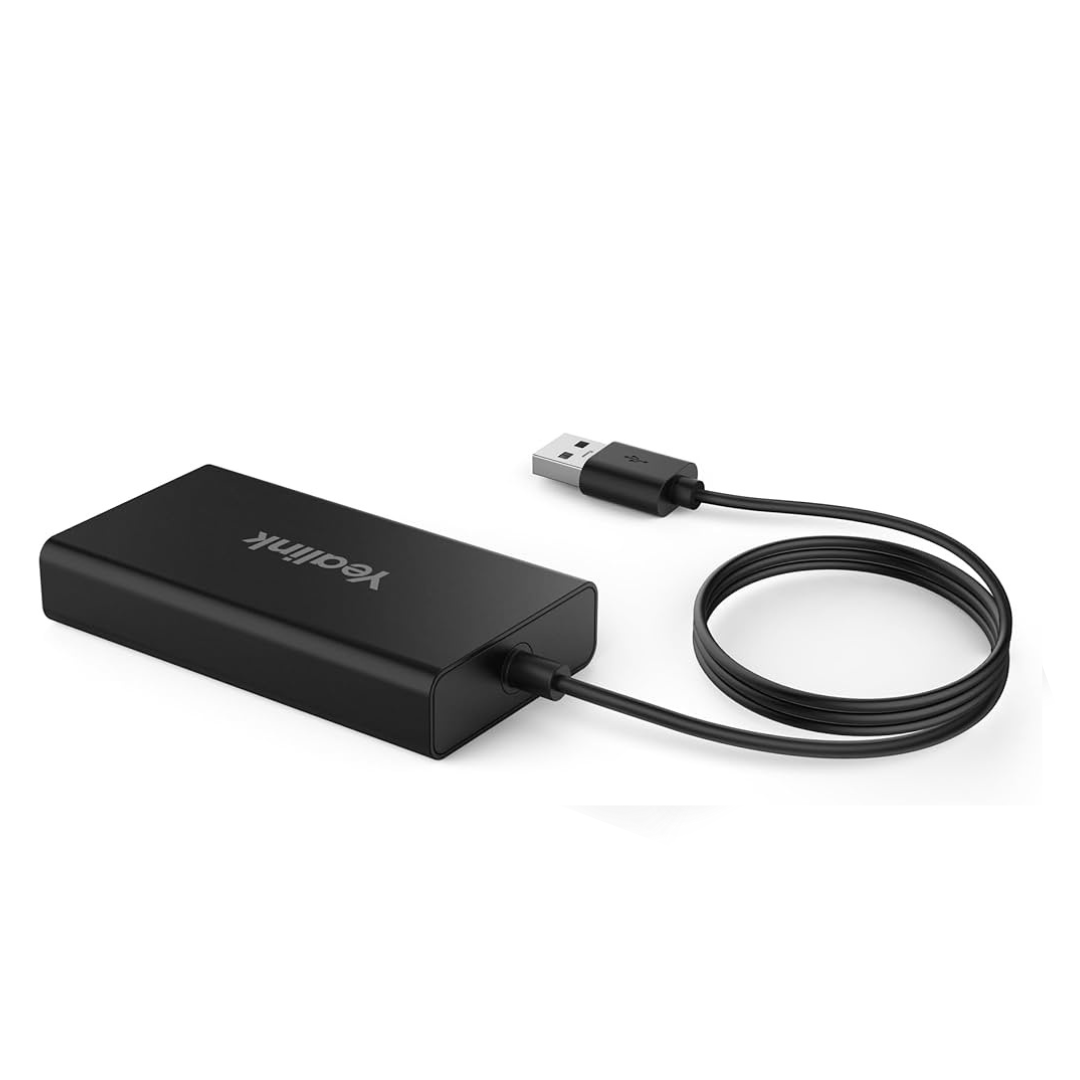
Product information
Yealink MVC-BYOD Extender is an accessory for Yealink MVC Microsoft Teams Rooms systems that lets a guest connect a laptop by USB and run a meeting on a different conferencing platform, using the room camera, microphone and speaker.
Key features
- Switch platforms with a cable: plug the extender USB cable into a laptop to use the room hardware with that laptop's own meeting app, while the room stays a Teams Rooms system.
- BYOD without changing the room: guests can join their own Zoom or other platform meetings without reconfiguring the room system.
- Touch panel control: meeting controls stay on the MTouch II touch panel, according to Yealink.
- Wireless sharing option: Yealink lists support for content sharing with the WPP20 presentation pod (WPP30/WPP20 not available in the US market).
- Broad MVC support: listed for MVC400, MVC640-Wireless, MVC840, MVC860, MVC940 with AVHub and MVC960.
- Extender cable included: the Universal AV Solutions listing includes a 7.5 m CAT5e cable for placing the connection point on the table or lectern.
Ideal for
Meeting rooms and boardrooms with a Yealink MVC Teams Rooms system where visitors, clients and partners often need to bring their own laptop and use a platform other than Teams.
Buy Yealink MVC-BYOD Extender in India from Universal AV Solutions with supply, installation and after-sales support across Delhi NCR and pan-India. Contact us for the latest price and a GST quotation.
Yealink MVC-BYOD Extender at a glance
| Product type | BYOD extender accessory for Yealink MVC Microsoft Teams Rooms systems |
|---|---|
| Brand | Yealink |
| Model | MVC-BYOD Extender |
| Connection | USB cable from the presenter's own laptop |
| Listed compatible systems | MVC400, MVC640-Wireless, MVC840, MVC860, MVC940 (with AVHub), MVC960 |
| Room control | MTouch II touch panel |
| Wireless sharing | WPP20 presentation pod supported (WPP30/WPP20 not available in the US market) |
| Cable in the Universal AV Solutions listing | 7.5 m CAT5e cable |
| Suited to | Rooms where visitors bring their own laptops |
Guest laptops, room hardware
With the extender, a visitor connects their own laptop and runs the meeting in their own platform, but still uses the room display, camera and audio. This helps rooms that are standardised on Microsoft Teams Rooms handle Zoom or other platform meetings.
- No need to change the room system's main platform.
- Meeting controls stay on the MTouch II panel.
- Optional WPP20 pod for wireless content sharing.
Confirm your room system first
The extender is an accessory, not a room system. Tell us the model of your Yealink MVC system and camera and we will confirm suitability and the right cabling before you order.
Yealink MVC-BYOD Extender FAQs
What is the Yealink MVC-BYOD Extender?
It is an accessory for Yealink MVC Microsoft Teams Rooms systems that lets a guest plug in a laptop by USB and use the room hardware with their own conferencing platform.
Which Yealink systems is it listed for?
Yealink lists the MVC400, MVC640-Wireless, MVC840, MVC860, MVC940 with AVHub, and MVC960. Contact us to confirm any other model.
Does it work with Zoom?
Yealink positions the extender for switching between Microsoft Teams Rooms and other unified communications platforms, so a guest can run their own platform, such as Zoom, from their laptop.
Can it be used on its own?
No. It is an accessory that works with a compatible Yealink MVC room system.
How much does the Yealink MVC-BYOD Extender cost in India?
Contact Universal AV Solutions for the latest price and a GST quotation.
Do you provide installation and support?
Yes. Universal AV Solutions provides supply, installation and after-sales support across Delhi NCR and pan-India.
Good to know: Specifications are based on the manufacturer's published information and may change. Contact Universal AV Solutions to confirm what is included with your order. All brand names are trademarks of their respective owners.
You may also consider
Other video conferencing cameras, speakerphones and VC solutions
-

Yealink
Yealink AVHub Meeting Audio & Video Processor for Large Conference Rooms
-

Yealink
Yealink VCH51 Video Conferencing Sharing Box
-

Yealink
Yealink MShare E2 Screen Sharing Box for MVC Teams Rooms Systems
-
Yealink
Yealink UVC86 4K Dual-Eye Intelligent Tracking PTZ Conference Camera
-

Yealink
Yealink MVC860-C5-000 Microsoft Teams Rooms system
-

Yealink
Yealink MVC S40-C5-000 Native Microsoft Teams Rooms System
-

Yealink
Yealink RCH40 - Meeting Room Audio & Video Networking Devices


